Synnoe

For people whose work is thinking.

Meet Chester

Your AI Chief of Staff.

A desktop app that turns everything you’re working on into connected knowledge and lets AI agents work with you directly in your files. Everything is saved on your machine.

For the work you can't paste into ChatGPT.

Request early access

Connected knowledge

Chester knows your work.

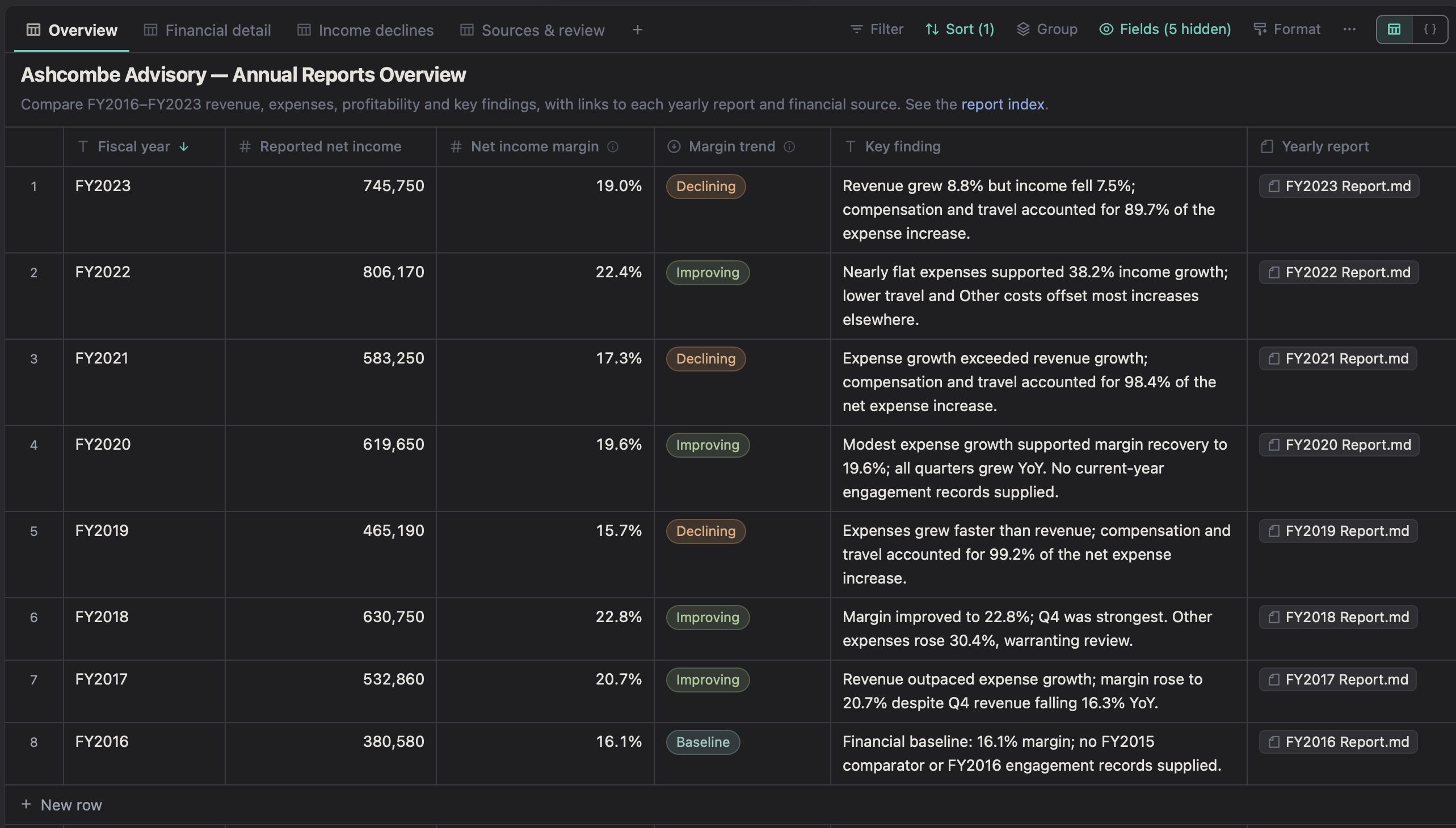
Chester connects information across your files and conversations, then surfaces the topics that matter most right now. Your files and knowledge stay in your local workspace.

A connected memory of your work.

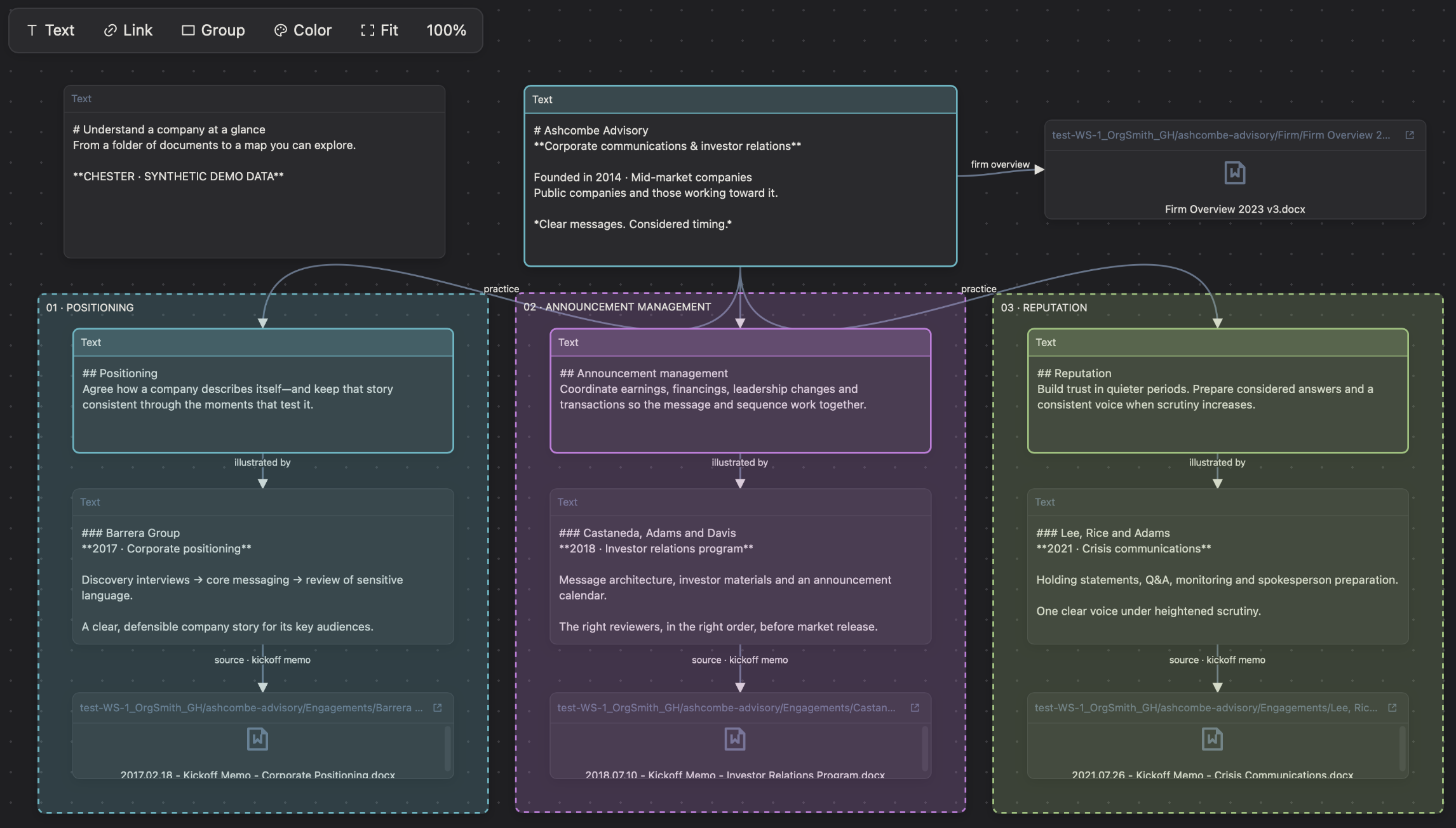
Your documents, meetings, emails and AI chats become connected knowledge on your machine. Chester and other AI agents can draw on it, so the context you build stays useful across tasks, conversations and tools.

Your knowledge grows. Your AI starts ahead.

Your topics. Everything related.

Chester recognizes the topics you’re working on and brings the related material together. See the proposal, the meeting that shaped it and the latest email side by side, without hunting through folders or remembering filenames.

Follow the subject. Not the folder.

Keep a Pulse on what matters.

Turn a client, project or research question into a living brief. As your knowledge grows, Chester brings changes, decisions and open questions into focus, with links to the sources behind them.

Stay current. See what changed.

Agent power

A shared workspace for you and AI.

You and Chester work in the same files, backed by the connected knowledge of your workspace. Refine a paragraph or update a hundred documents.

Text

Write together. Skip the copy-paste.

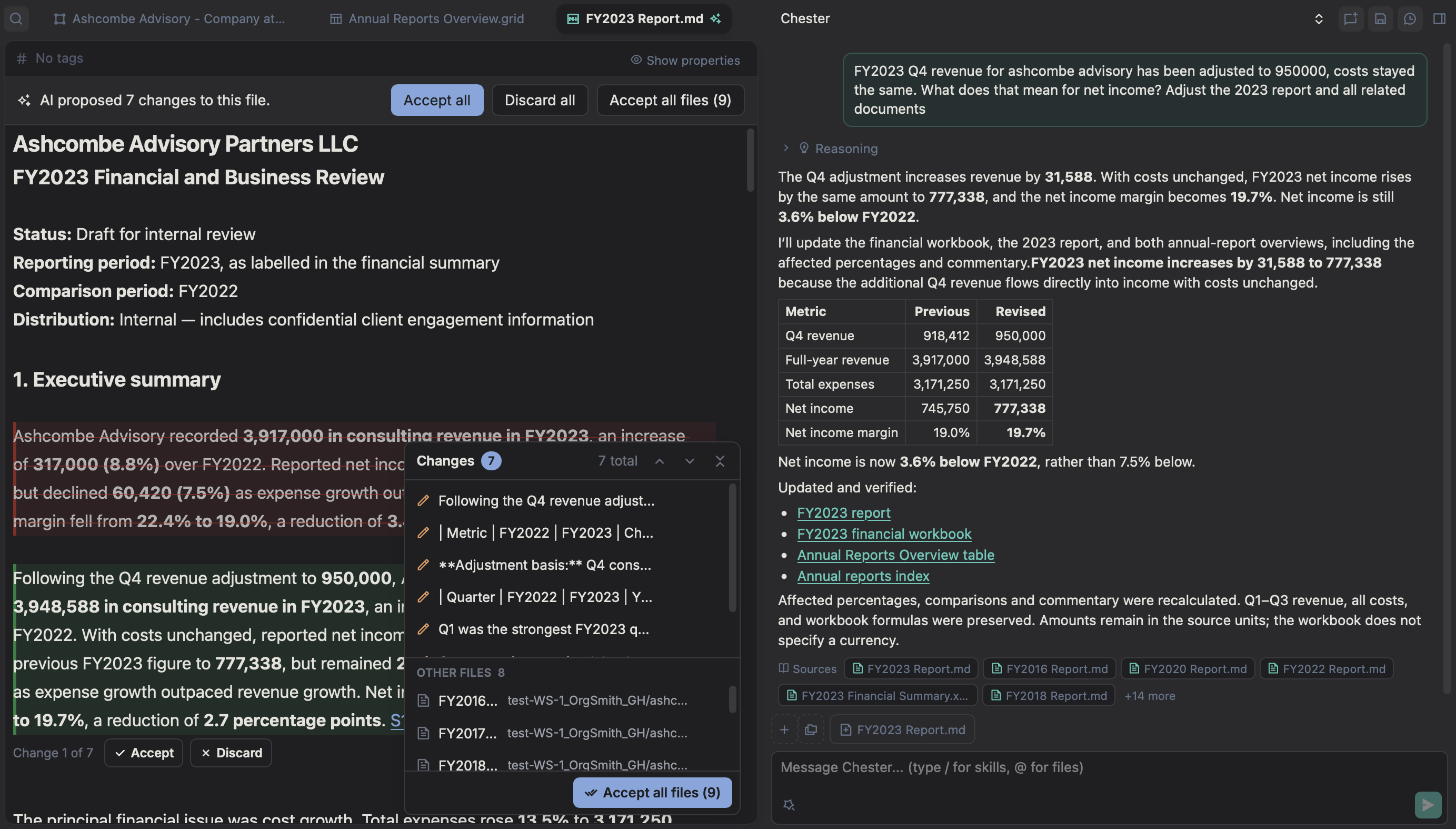
Chester drafts and revises directly in your document, using your workspace’s knowledge. No copying into chat and back.

Markdown report open beside Chester, showing inline suggested edits and a financial summary.

Tools & automation

The power of a coding agent. Applied to your work.

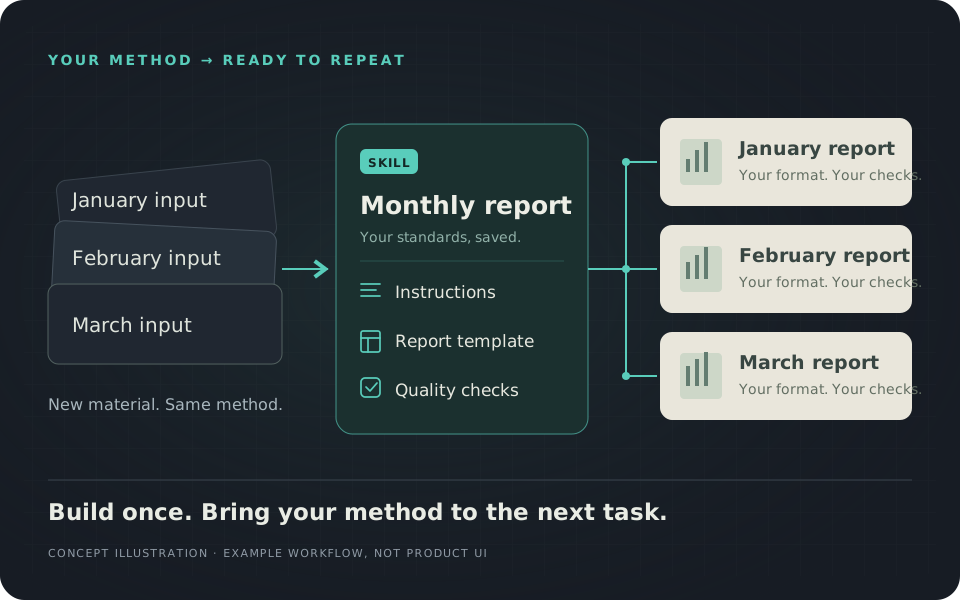
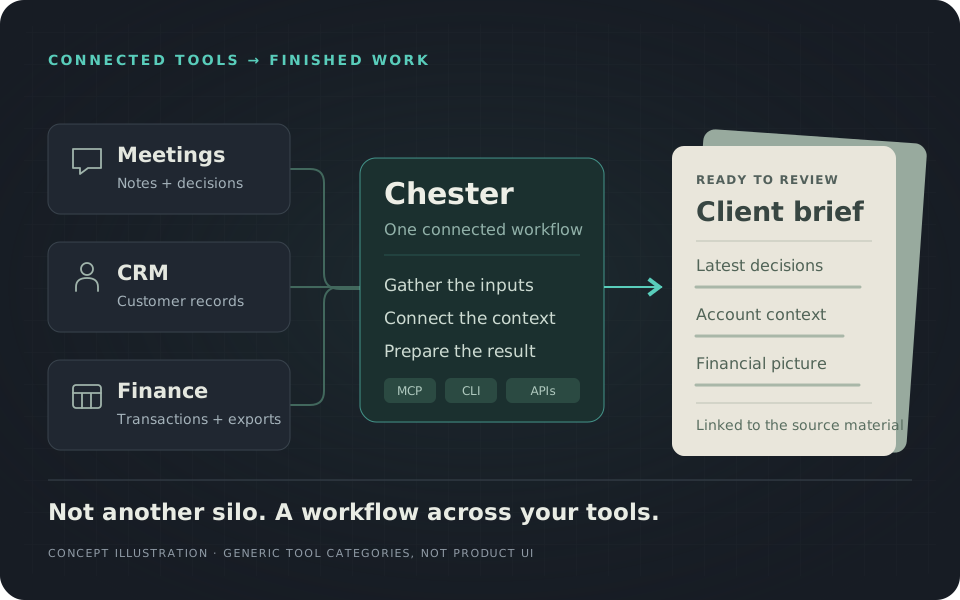
Chester writes and runs code, connects your tools and builds repeatable workflows. From complex analysis to finished reports, it turns your workspace’s knowledge into execution. No coding required.

Scripts & automation

Describe it. Chester builds it.

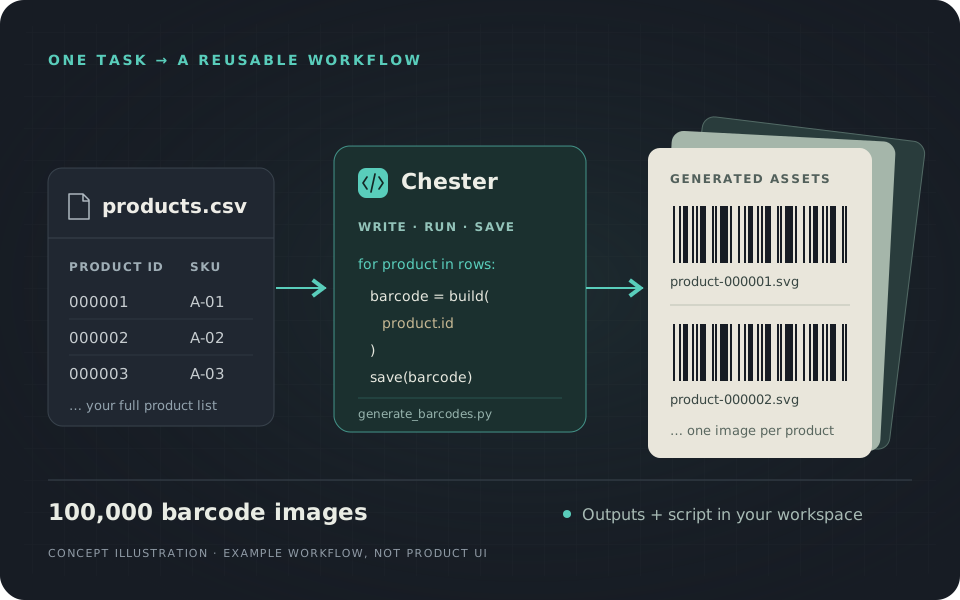
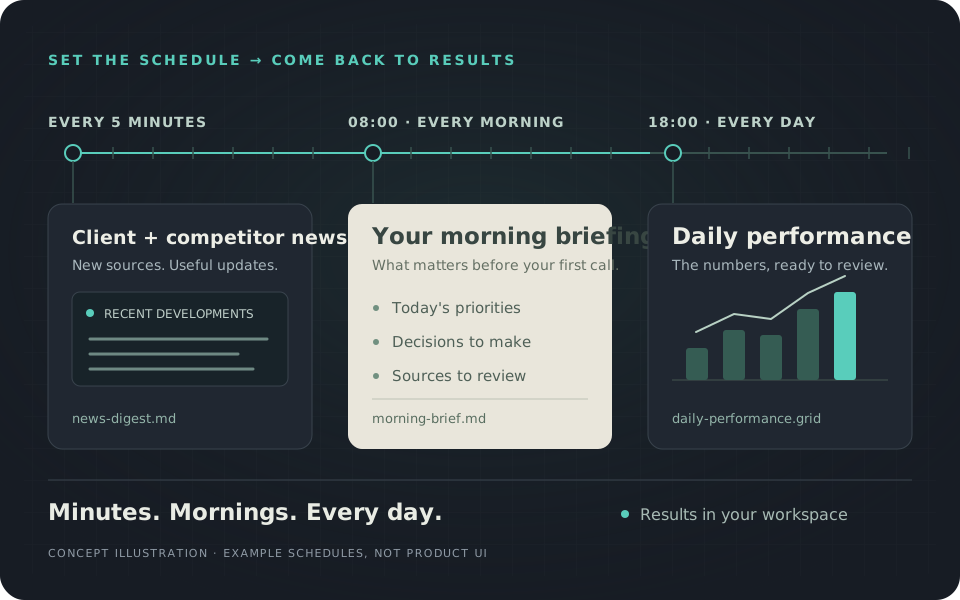
Chester runs the workflow and saves the results and reusable code in your workspace.

A product CSV becomes a reusable Python script and a batch of barcode images. Barcode marks are illustrative, not scannable.

Ownership & choice

Your knowledge is your most valuable asset.

Who controls it?

Your strategy, client context, decisions and methods are knowledge you’ve built over time. Chester keeps your files and accumulated memory in a local, portable workspace you control.

Choose a built-in model, connect your own provider or use a local or self-hosted model. Change the AI behind Chester without rebuilding your knowledge.

Good to know

A few useful answers.

Still have a question? Write to hi@synnoe.com.

What makes Chester different?

Chester is built around your workspace, not a conversation. It connects your documents, meetings, emails and AI chats into a growing memory of your work. You and Chester work directly in the same files, from writing and analysis to scripts and recurring workflows.

Your files, accumulated knowledge and reusable workflows stay together in a local, portable workspace you control. Change the AI behind Chester without starting over.

Can I keep using my work without Chester?

Yes. Your documents, data and scripts are saved in your workspace, not trapped inside Chester. You can open and edit all files in other tools, and run your scripts with the software they require.

Even Grids and Pulses use open, readable formats such as JSON, so other AI agents can read and interpret their contents without Chester.

Who is Chester for?

Chester is for people who turn scattered information into decisions and useful work, from founders, managers and advisors to investors, analysts and researchers. If your work spans notes, documents, meetings and data, Chester is built for that kind of task.

Chester is optimized for business context and knowledge work, not developer workflows. It can write and run code for analysis and automation, but it is not designed as a dedicated software-development agent.

What are Grids and Pulses?

Grids are structured tables where you and Chester can compare options, organize records and analyze data together. Pulses are living briefs that show where a client, project or research question stands, with decisions, open questions and links to supporting sources.

Use a Grid to work through structured information. Use a Pulse to stay oriented as the underlying information changes.

Does everything run locally?

Your workspace data and agent execution are local. Model processing depends on your configuration: a cloud model receives relevant content, while a local model processes it on your machine. Connected tools and any storage sync you use may involve other services. An offline workflow needs all of its required services to run locally.

How can I try Chester?

Request early access at hi@synnoe.com and tell us about one task you'd like help with. We're inviting a small group of early users and would like to discuss your use case and show you Chester.
Early access

Bring your real work to Chester.

We are looking for a small group of early users with real information-heavy tasks. Tell us what you work on and where your current tools fall short.